CREATE WiFi ANYWHERE YOU HAVE BROADBAND SIGNAL
The Wireless 4G/3G Router (MBR95) is the next generation of router technology from CradlePoint. Secure, powerful, and configurable, the MBR95’s most impressive feature is its ability to use 4G/3G USB Modems to create instant networks anywhere there is a mobile broadband data signal. (Check with your service provider for local coverage information.)
HOW DOES IT WORK?
Connect this router to a 4G/3G MOBILE MODEM and get more from your data plan. Most WiFi enabled devices don’t support USB 4G/3G Data Modems. When you connect the modem to the MBR95, you can securely share your data plan with up to 32 people or devices. Or, connect this router to your existing DSL / CABLE / SATELLITE MODEM and add 600 feet of WiFi to your network. CradlePoint routers are built to work with most popular 4G/3G USB Modems from: AT&T, Bell Canada, Clearwire, Cricket, Rogers, Sprint, T-Mobile, Telus, US Cellular, Verizon Wireless, & Virgin Mobile, as well as most Cable, DSL, and Satellite providers.
Tech Specs
- Wireless “N” WiFi (802.11n + legacy 802.11b/g, 2x2 MIMO, 300 Mbps)
- Up to 600-feet of WiFi Range
- Supports up to 32 WiFi Connections at a Time
- Two WiFi Networks: 1 private SSID for owner, 1 public SSID for guests. Create a private, secure, and prioritized connection while sharing with others. Each network can have its own security settings.
- Four Ethernet ports to connect directly to Ethernet-enabled devices
- Special Feature: Use WiFi as a Data Source. “WiFi-as-WAN” mode enables the MBR95 to become a WiFi repeater (using existing WiFi to create secure connections) or use as a WiFi-to-Ethernet adapter for non-WiFi devices.
Features
Wireless or wired access
- Enables wireless internet access through 4G/3G mobile broadband networks, existing WiFi, or Ethernet-based data services ( Cable / DSL / Satellite )
- Supports most wireless data modems from the leading carriers (sold separately)
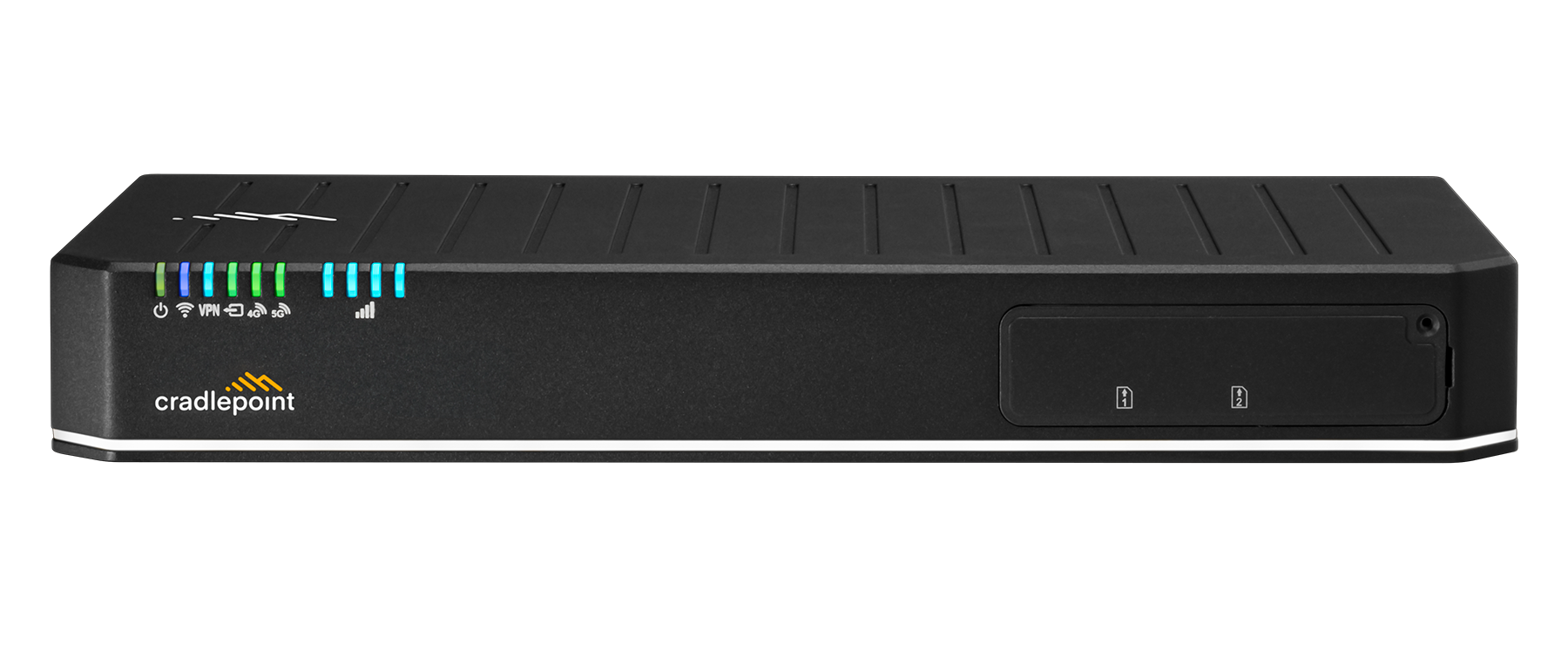
- Increase the speed & performance of your 4G/3G connection: Place the MBR95 near a window of your home or office and use the signal strength LEDs to determine where your 4G/3G reception is best.
Secure
- Create secure WiFi with best-in-class encryption
- Prevent unwanted access to connected device
- Includes security features for safer internet
- Hide your WiFi network name
Service, support, and warranty
- Free firmware updates, phone, chat, and email technical support, one year hardware warranty. Up to two-year additional hardware warranty available.
Range and connection
- Wireless “N” WiFi (802.11n + legacy 802.11b/g, 2x2 MIMO, 300 Mbps)
- Up to 600-feet of WiFi Range
- Supports up to 32 WiFi Connections at a Time
- Two WiFi Networks: 1 private SSID for owner, 1 public SSID for guests. Create a private, secure, and prioritized connection while sharing with others.Each network can have its own security settings.
- Four Ethernet ports to connect directly to Ethernet-enabled devices
- Special Feature: Use WiFi as a Data Source. “WiFi-as-WAN” mode enables the MBR95 to become a WiFi repeater (using existing WiFi to create secure connections) or use as a WiFi-to-Ethernet adapter for non-WiFi devices.
Flexible
- Pass-Through VPN connection support enables a laptop with a VPN client to create a secure tunnel to corporate networks (IPSec, L2TP, PPTP)
-
When multiple internet sources (4G/3G/Cable/DSL/Satellite Modems) are connected to the MBR95, it will detect an internet outage on the primary connection and switch to a secondary connection (aka: Failover / Failback)
SOHO / MICROBUSINESS
A reliable connection to the Internet is critical for small, temporary, or remote offices, which need both a secure, primary network connection and a reliable backup data source.
Cable, DSL or T1 installations take days to be set up and can be costly. With a CradlePoint solution, simply connect a supported 4G/3G mobile broadband modem to the affordable MBR95 router and get and keep your business up and running in no time.
Or, connect a 4G/3G mobile broadband data modem and use it as a backup Internet connection to a traditional wired line data service like Cable or DSL. When your wired line goes down, the MBR95 will “automatically failover” to the connected 4G/3G mobile broadband USB data modem – providing a seamless always-on Internet experience. Get ultimate flexibility and assurance that mission-critical business will continue even if your main wired internet connection goes down.
The MBR95 also provides a wide variety of encryption and security features to prevent unwanted network access. With CradlePoint’s WiPipe technology, our products feature a NAT firewall, Stateful Packet Inspection (SPI), and WEP/WPA/WPA2 (personal and enterprise) WiFi encryption, as well as VPN pass-through for secure corporate connections.
Use the CradlePoint MBR95 as a primary data connection, or a backup Internet connection using a 4G/3G mobile broadband USB data modem.
Small business networking has never been so quick, simple and secure.
RV / TRAVEL / BOAT
Securely share your high-speed 4G and/or 3G USB mobile broadband service with friends, family or co-workers while you’re on the road. Quickly and simply plug your USB modem into the CradlePoint MBR95 and create an instant 600-foot WiFi network wherever you receive a mobile broadband signal.
The CradlePoint MBR95 provides secure WiFi access for up to 32 devices such as laptops, tablets, game systems, printers, smartphones – or any other WiFi-enabled device. The CradlePoint auto adapter (an optional accessory) allows you to easily power your router on the road.
Extend the value of a single 4G/3G USB data modem by sharing it with all your WiFi-enabled devices.
RURAL / VACATION HOMES
The need for Internet connectivity doesn’t stop when you live outside the city or head out on vacation. Ensure reliable Internet access for the whole family with the CradlePoint MBR95 and a 4G/3G data modem. You can create a secure 32-device WiFi network anywhere you receive a mobile broadband signal - instantly.
Simply position the MBR95 where the connected 4G/3G data modem receives the best signal (using the signal strength indicators on the front of the router) and you’ll be using the Internet in no time. Connect laptops, tablets, game devices, DVRs, printers, voice-over IP or smart phones – anything that’s WiFi-enabled.
The MBR95 has both a 600-foot “private” WiFi broadcast that only you control while providing others with special “guest” access for maximum security when sharing your WiFi.
Create a secure instant WiFi network where you never thought it possible.
SPECIAL EVENTS
Reliable and affordable Internet access for special events can be challenging and expensive. Whether you need connectivity for a tradeshow, an outdoor event, or an off-site meeting away from the office, you can now create a reliable instant WiFi network with the MBR95 and a 4G/3G USB Mobile Broadband Modem.
Plus, with traditional features like Ethernet connectivity (4 LAN ports), the MBR95 allows you to directly connect non-WiFi-enabled computers, network drives and printers for ultimate flexibility and legacy connectivity.
Along with the MBR95’s powerful 802.11 'N' 600-foot WiFi broadcast, you can access wirelessly with up to a 300 Mbps data throughput from a construction trailer, a broadcast van, or in a press booth.
With added security from built-in WiPipe technology, CradlePoint improves your Internet experience making it fast, flexible, and secure. The affordable MBR95, combined with a 4G/3G USB broadband modem, provides the perfect way to take special event Internet connectivity to new heights.
CradlePoint makes it easy to create instant secure WiFi/wired networks with one router.
Below is a list of carrier-supplied modems compatible with the MBR95.
3 (SWE)
- USB
- Huawei E182E
Aircel (IN)
- USB
- Micromax 352G
Airtel (IN)
- USB
- Capitel CWU720
- Huawei E153
- Huawei E1731
Alltel
- USB
- Pantech UM150
- Pantech UM175
- Pantech UM185
AT&T
- USB (Tethered)
- Huawei E220
- USB
- Huawei E368 [Force 4G]
- Huawei E181
- Huawei E1815 [USB Connect 900]
- LG AD600 [USB Connect Adrenaline (LTE)]
- LG Turbo LUU-2100TI [USBConnect Turbo]
- Novatel Wireless Ovation MC930D
- Novatel Wireless Ovation MC950D
- Option iCON 322 [AT&T USBConnect Quicksilver]
- Option iCON 461 [AT&T USBConnect Velocity]
- Sierra Wireless AirCard 313U [USB Connect Momentum 4G (LTE)]
- Sierra Wireless AirCard 881U [USBConnect 881]
- Sierra Wireless AirCard USB 305 [USBConnect Lightning]
- Sierra Wireless AirCard USB 306
- Sierra Wireless AirCard USB 308 [Shockwave]
- Sierra Wireless Compass 885 [USBConnect Mercury]
- Sierra Wireless Compass 888
- Sierra Wireless AirCard 875U
Bell Mobility (CA)
- USB
- Novatel Wireless Ovation MC547 [U547 Turbo Stick]
- Novatel Wireless Ovation MC998D [U998 HSPA+ Turbo Stick]
BridgeMAXX
- USB
- ZTE TU25
BSNL (IN)
- USB
- Linktop LW272
- Linktop LW273
- Micromax MMX 300C
Cellcom
- USB
- Novatel Wireless Ovation MC760
Claro (PR)
- USB
- Alcatel One Touch X220Y (TCT Mobile)
- BandRich BandLuxe C330
- Very Kool m950
Clear
- USB
- Franklin Wireless U300 [Clear 4G+ USB Modem]
- Huawei BM328 [Clear 4G USB (Series H)]
- Motorola USBw 100 [Clear USB Modem]
- Sierra Wireless 250U [CLEAR 4G+ USB (Series S)]
- Ubee PXU1930 [Rover Stick]
- Ubee PXU1900 [Clear 4G Mobile USB]
Comcast
- USB
- Franklin Wireless U300 [CMU-300 High Speed 2go]
- Franklin Wireless U301 [CMU-301 High Speed 2go]
- Novatel Wireless Ovation MC760 [Novatel MC760]
- Ubee PXU1903
- ZTE TU25
Cricket
- USB
- Cal-Comp Electronics A600
- Huawei EC1705
- Pantech UM100
- Pantech UM185 [Cricket UM185C]
- ZTE A605
Idea Cellular (IN)
- USB
- Huawei E1732
- Huawei E367
MTS India (IN)
- USB
- Anydata 555C [M-Blaze Premium]
- ZTE AC2766 [M-Blaze Standard]
nTelos
- USB
- Franklin Wireless CDU-680
O2 (UK)
- USB
- ZTE MF100
Open Mobile
- USB
- Novatel Wireless Ovation MC551
Orange (UK)
- USB
- Huawei E160E
- Huawei E1752 [Orange E1752 Dongle]
- Option iCON 515M
Pioneer Cellular
- USB
- Franklin Wireless CDU-680
- Sierra Wireless AirCard USB 598
Reliance (IN)
- USB
- Huawei EC1262
- ZTE AC2726
- ZTE MF668
- ZTE MF190
Rogers (CA)
- USB
- Nokia CS-18 [HSPA+ Rocket Mobile Internet Stick - Nokia CS-18]
- Novatel Wireless Ovation MC950D
- Sierra Wireless AirCard USB 306
- Sierra Wireless 330U [LTE Rocket Stick]
- Sierra Wireless AirCard 313U [LTE Rocket Stick]
- ZTE MF636 [ZTE MF636 Rocket Stick]
- ZTE MF668 [ZTE MF668 HSPA+ Rocket Mobile Internet Stick]
- ZTE MF680
Sprint
- USB
- Franklin Wireless U600
- Franklin Wireless U300 [Sprint 3G/4G USB ModemU300]
- Franklin Wireless S600C
- Franklin Wireless U301 [Sprint 3G/4G USB ModemU301]
- Novatel Wireless Ovation MC760 [Sprint U760]
- Sierra Wireless AirCard 595U
- Sierra Wireless AirCard USB 598 [Sprint 598U]
- Sierra Wireless Compass 597U [Sprint 597 USB Modem]
- Sierra Wireless 250U [3G/4G USB Modem 250U]
- Ubee PXU1901
Strata Networks
- USB
- Franklin Wireless U210
T-Mobile (UK)
- USB
- Huawei E367
- Huawei E1750
- ZTE MF192
- ZTE MF637U
T-Mobile (USA)
- USB
- Huawei E1691 [T-Mobile webConnect Jet USB (UMG1691)]
- Huawei E181 [T-Mobile webConnect USB (UMG181)]
- Huawei E1831 [T-Mobile webConnect Rocket USB]
- Huawei E366 [Jet 2.0]
- ZTE MF691 [webConnect Rocket 2.0 HSPA+]
- ZTE MF683 [Rocket 3.0]
Tata Teleservices (IN)
- USB
- Epivalley SEC 8380 [TATA Photon+]
- Epivalley SXC1080 [Tata Indicom Plug 2 Surf]
- Huawei EC1261 [TATA Photon+]
- Huawei E367
- Huawei EC306
- Huawei E177
- Huawei EC156
- ZTE MF631
Tele2 (SWE)
- USB
- Huawei E398
Telenor (SWE)
- USB
- Huawei E1750
TELUS (CA)
- USB
- Huawei E372
- Sierra Wireless AirCard 319U
Time Warner
- USB
- Franklin Wireless U300 [Road Runner Franklin U300]
- Motorola USBw 100
- Sierra Wireless 250U
U.S. Cellular
- USB
- Pantech UM175 [UT Starcom UM175]
- Pantech UM185 [PCD UM185]
Verizon
- USB (Tethered)
- Novatel Wireless MiFi 2200
- USB
- LG VL600 [VL600 4G LTE USB Modem]
- Novatel Wireless Ovation MC720 [Verizon USB720]
- Novatel Wireless Ovation MC727 [Verizon USB727]
- Novatel Wireless Ovation MC760 [Verizon USB760]
- Novatel Wireless Ovation MC551 [ 551L 4G LTE USB Modem]
- Pantech UM150
- Pantech UM175
- Pantech UML290 [UML290 4G LTE USB Modem]
- Pantech UMW190NCD [Verizon UMW190 Global Modem]
- Pantech UMW190VZ [Verizon UMW190 Global Modem]
- Sierra Wireless AirCard 595U
Virgin Mobile (U.S.A.)
- USB
- Novatel Wireless Ovation MC760 [Broadband2Go]
Vodafone (UK)
- USB
- Huawei K4505 [Vodafone ModemStick Pro]
- ZTE K3570-Z
Firmware
Product Documents
Support Links
What is the default password?
How do I setup WiFi security?
How do I update firmware?
How do I access the administration page?
How Do I Use WiFi as WAN?
How Do I Setup Private and Guest Networks?
How do I set the 4G Realm? (for use with the 4G modems only)
How Do I Change the IP Address?